
Command palette
The command palette is the fastest way to find actions without remembering where they live in the interface.
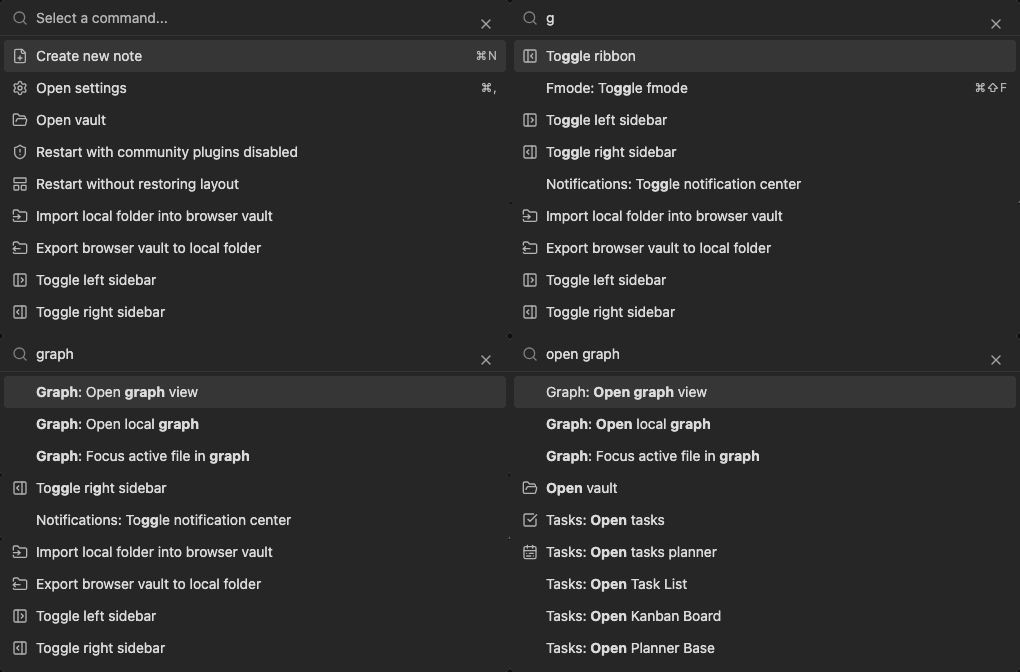
Use the palette
Section titled “Use the palette”- Open the command palette from the keyboard or app menu.
- Type part of a command name, such as
search,graph,canvas, ortask. - Select the command and press Enter.
Commands are contributed by the workspace and by enabled plugins. If a command is missing, check whether the related plugin is enabled.
Context matters
Section titled “Context matters”The palette is filtered by what the app can do in the current context. Editor commands appear when a Markdown editor is active. Plugin commands appear only after the plugin loads. Recovery and safe-mode commands can appear when startup diagnostics require them.
Use the command palette when a workflow is not worth pinning to visible chrome. It keeps infrequent actions discoverable without adding another button to the workspace.