
Tasks
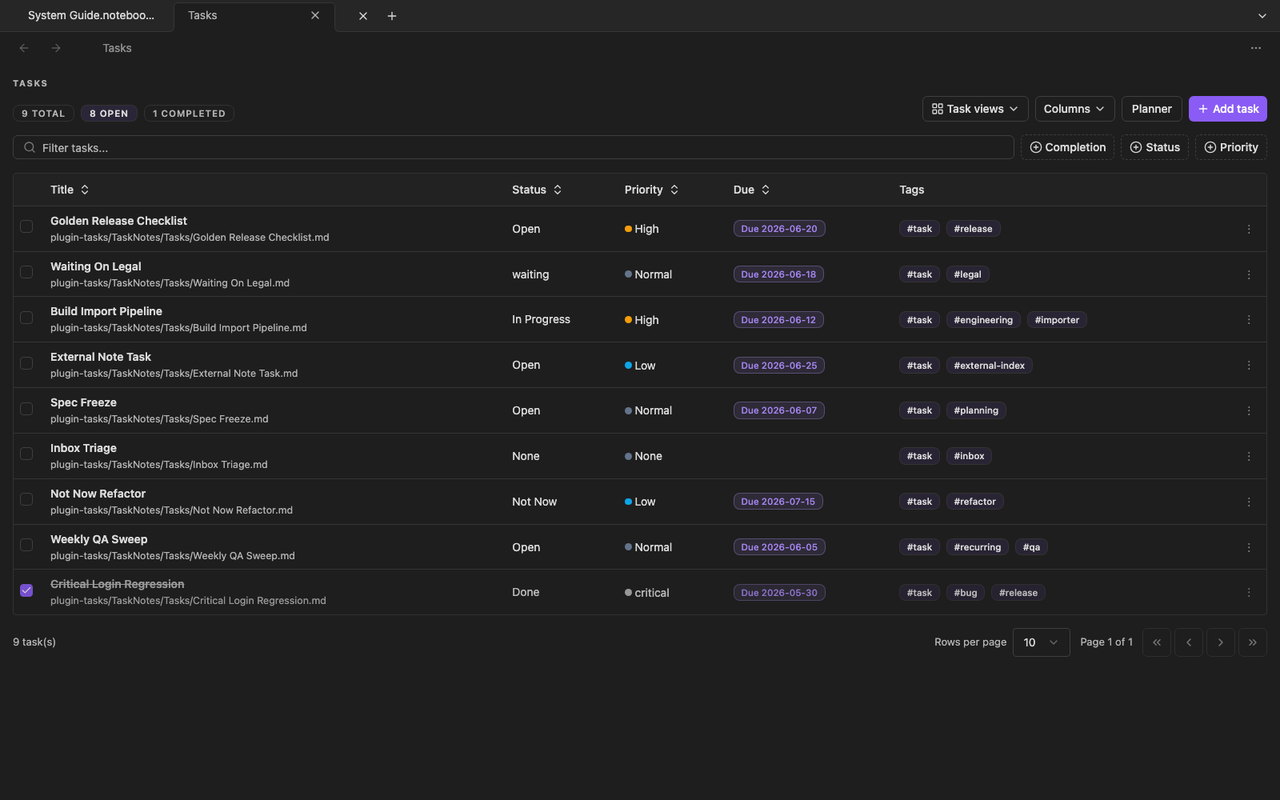
The Tasks plugin keeps tasks in Markdown files while adding task-focused views and conversions.
Task storage
Section titled “Task storage”By default, task notes live in a managed folder such as TaskNotes/Tasks/. Supported metadata includes title, status, priority, due dates, scheduled dates, tags, projects, blockers, recurrence, and completion history.
Task views
Section titled “Task views”Tasks can open generated Bases-backed views such as:
- Task list
- Kanban board
- Fizzy board
- Mini calendar and Fizzy calendar
These views still point back to Markdown task notes. Completing or rescheduling a task updates frontmatter rather than a separate hidden database.
When to use Tasks instead of plain checklists
Section titled “When to use Tasks instead of plain checklists”Use plain task list syntax for lightweight work inside a note. Use the Tasks plugin when the work needs dates, status, recurrence, blockers, or dedicated agenda and board views across many notes.