
Canvas
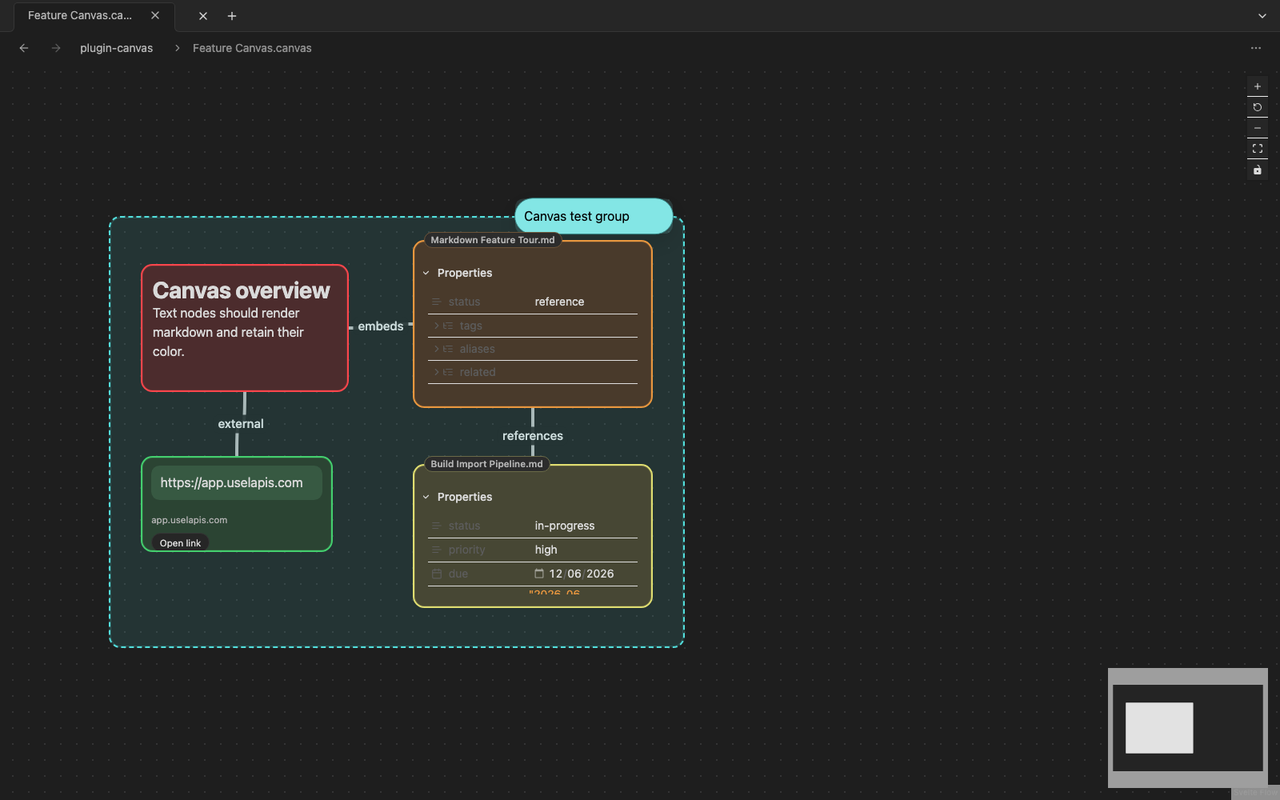
Canvas opens .canvas files as editable JSON Canvas boards for spatial work.
What Canvas is good for
Section titled “What Canvas is good for”- Mapping a project or research topic visually
- Grouping notes, files, and references on one board
- Sketching structure before writing a longer note
- Connecting related material with directional links
Create a canvas
Section titled “Create a canvas”Use the create-new-canvas command or the file action for a new canvas file. Lapis creates an empty .canvas document in the vault.
Work on a canvas
Section titled “Work on a canvas”- Add text, file, link, and group nodes.
- Connect nodes with directional connectors.
- Resize, recolor, and group related nodes.
- Pan the canvas with empty-space drag or wheel scrolling.
- Use ctrl-wheel to zoom.
Markdown file nodes render through the Markdown plugin. Embedded previews stay inert until selected so normal canvas gestures still work.